CATEGORIES
TAGS
Boost your podcast experience: expert listening tips

TL;DR:
- Optimize your podcast setup by defining goals and customizing app features for better discovery.
- Use playback speed, skip controls, and app settings to listen efficiently and comfortably.
- Curate your feed regularly and leverage human recommendations and AI summaries for meaningful discovery.
There are over five million podcasts available right now. Five million. And that number keeps climbing. Yet most of us are still just hitting play and hoping for the best, scrubbing through episodes half-distracted, missing the good stuff entirely. The reality is that getting the most out of your podcast time takes more than a pair of earbuds and a commute. It takes a real strategy. This guide breaks down exactly how to sharpen your setup, refine your feed, and start discovering the trending products and insights that top creators are actually talking about.
Table of Contents
- Set your podcast listening criteria for maximum value
- Leverage playback speed and advanced controls
- Customize your app for the ultimate listening setup
- Curate and manage your podcast feed like a pro
- Enhance focus and enjoyment with the right gear and habits
- Our take: why the best podcast listeners break the rules
- Take your podcast discovery further with Prodcast
- Frequently asked questions
Key Takeaways
| Point | Details |
|---|---|
| Define your goals | Clarify why you listen to podcasts to guide your setup and choices. |
| Master speed and controls | Adjust playback speed and skip settings to maximize efficiency and enjoyment. |
| Curate your feed | Use regular cleanup and human-curated recommendations to keep your podcasts engaging and fresh. |
| Upgrade your gear | Invest in quality headphones and create a comfortable environment for immersive listening. |
| Experiment and personalize | Test and tweak tips to find the listening habits and discovery tools that work best for you. |
Set your podcast listening criteria for maximum value
Having established the need to upgrade your listening approach, let’s start with what matters most: defining your personal podcast priorities.
Not everyone wants the same thing from a podcast. Some people tune in to learn something new. Others want entertainment on a long drive. And some of us are genuinely hunting for recommendations, whether that’s a new productivity tool, a supplement that keeps coming up on health shows, or a book that three different business hosts have mentioned in the same week. Knowing why you listen changes how you listen.
Start by getting honest with yourself about your goals. Ask yourself: Am I trying to finish a specific number of episodes? Do I want to stay current on industry trends? Am I looking to discover products that real creators swear by? Your answers shape everything from which apps you use to which shows belong in your feed.
Once your goals are clear, evaluate the features that actually matter to you. Here’s a quick list to consider:
- Playback speed control for efficiency
- Custom skip intervals to jump ads or dull sections
- Auto-downloads so new episodes are ready when you are
- Queue management to line up the next episode without interruption
- Cross-device syncing for a seamless switch between phone, laptop, and car
It’s also worth thinking about how you want to discover new content. Algorithms are convenient, but they tend to recycle the same familiar territory. According to one Guardian piece on managing audio oversupply, regularly unsubscribing from inactive shows and leaning into human recommendations beats algorithm-driven feeds for genuine discovery.
Learning strong podcast curation strategies early sets you up to build a feed that actually energizes you rather than one that just fills time. Think of it as designing your own personalized radio station, just one with better guests and zero filler music.
Leverage playback speed and advanced controls
Once you’ve defined your priorities, the next step is using the right technical tools for efficiency.
Playback speed is one of the most underrated features in podcast listening. Most casual listeners never touch it. That’s a missed opportunity. Research from the Audiobook Speed Listening Guide shows that listening at 1.25x to 1.75x works well for most content, and jumping to 2x is realistic for familiar or straightforward material. Faster speeds can actually reduce mind-wandering because your brain stays more engaged trying to keep up.
That said, speed isn’t a one-size-fits-all setting. Here’s how to think about it:
- 1.0x: Dense technical content, sound-rich storytelling, poetry, or complex narratives
- 1.25x: General-purpose learning shows, business interviews, casual conversation
- 1.5x: News roundups, familiar hosts, content you already know well
- 1.75x to 2x: Review sessions, well-known topics, or second listens for notes
There’s also the matter of skip intervals. Most podcast apps default to a 15-second skip, but that’s rarely the ideal setting. Ads often run 30 to 60 seconds. A rambling intro can drag past a minute. Customizing your skip button to 30 or 45 seconds lets you move through content on your terms without accidentally jumping past something valuable.
Pro Tip: For narrative-driven shows, sound-rich documentaries, or any episode where the atmosphere matters, dial it back to normal speed. Some content is crafted to be experienced at pace, and rushing through it means missing what made the episode worth recommending in the first place.
Apps like Overcast and Pocket Casts offer features like Smart Speed, which silences stretches of dead air automatically without actually speeding up the voice. It’s subtle, but over a 60-minute episode, it can save you several minutes without any loss in comprehension. For more practical playback speed tips, these small adjustments add up fast.
HowToGeek’s playback speed insights confirm that speed-listening isn’t lazy or disrespectful to creators. It’s simply using your time intentionally, and it’s something the most dedicated podcast listeners already do.
Customize your app for the ultimate listening setup
With playback and speed controls mastered, customizing your app unlocks even more efficiency and enjoyment.
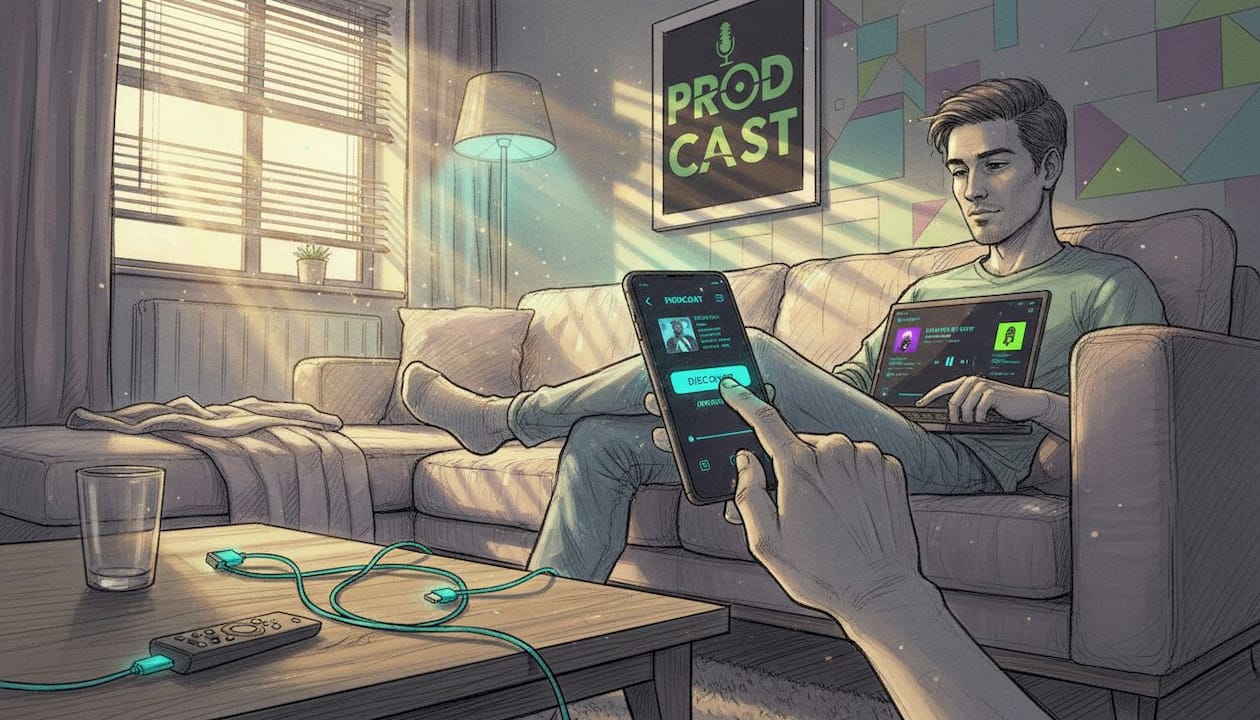
Most podcast apps come with sensible defaults, but “sensible” is not the same as “optimal.” Spending ten minutes inside your app’s settings can transform a frustrating experience into a seamless one. According to Apple Podcasts power users, small tweaks like enabling continuous playback, adjusting skip intervals, and hiding played episodes can completely overhaul your daily listening routine.
Here are the core settings worth adjusting:
- Continuous playback: Keeps episodes rolling without stopping to ask what you want next
- Custom skip intervals: Set forward and back buttons to match your content (30s forward, 10s back works well for most)
- Sleep timer: Fantastic for winding down with a podcast at night without waking up three episodes later
- Auto-downloads: Pulls new episodes over Wi-Fi overnight so you always have content ready offline
- Hide played episodes: Clears your feed automatically so you’re only seeing what’s next
Here’s a quick comparison of how popular apps handle these features:
| Feature | Apple Podcasts | Overcast | Pocket Casts | Spotify |
|---|---|---|---|---|
| Custom skip intervals | Limited | Full control | Full control | No |
| Smart Speed / silence skip | No | Yes | No | No |
| Sleep timer | Yes | Yes | Yes | Yes |
| Auto-download | Yes | Yes | Yes | Yes |
| Cross-device sync | Yes | Yes | Yes | Yes |
Pocket Casts and Overcast consistently win for power users because of how deeply you can customize the experience. If you’re still using a default app on your phone, it might be worth switching.
Pro Tip: Use the “Up Next” or queue feature to line up a full listening session in advance. Build a playlist before a long commute or workout so you’re never fumbling with your phone mid-run trying to pick the next episode.
For a deeper look at hardware and software that amplifies your setup, check out this breakdown of advanced app features and how the right streaming device pairs with your app of choice.
Curate and manage your podcast feed like a pro
Now that your app is set up and efficient, it’s time to put that streamlined feed to work for discovery and inspiration.
A cluttered feed kills momentum. If you’re subscribed to 40 shows but only genuinely enjoy 12, you’re creating friction every time you open the app. That decision fatigue is real, and it leads to defaulting to the same three episodes instead of discovering something that might genuinely change how you think.
Here’s a simple numbered system for keeping your feed sharp:
- Monthly unsubscribe audit: Go through your subscriptions and drop anything you haven’t listened to in four weeks
- Batch-testing new shows: Pick three new podcasts each month and give each one episode. Decide fast.
- Newsletter curation: Subscribe to at least one human-curated podcast newsletter for fresh picks that algorithms won’t surface
- AI summary screening: Use AI podcast summaries to scan episode highlights before committing to the full listen
- Social listening: Pay attention to which episodes your community is sharing or quoting. That’s real-time signal.
Human curation consistently outperforms algorithmic discovery for depth and novelty. As podcast discovery expert Arielle Nissenblatt explains in her work on smart packaging and discovery, newsletters and trusted community voices surface shows that algorithms simply aren’t designed to find.
“The best podcast discoveries don’t come from a ‘recommended for you’ row. They come from a real person who said ‘this episode made me think differently.’”
| Discovery method | Quality of recommendations | Novelty | Time required |
|---|---|---|---|
| Algorithm (app-based) | Medium | Low | Very low |
| Human-curated newsletter | High | High | Low |
| Social sharing | Medium to high | Medium | Low |
| Batch testing | High | Very high | Medium |
| AI summaries | Medium | Medium | Very low |
The goal is to discover new podcasts with real intention rather than just letting the app decide for you. When you take that control back, you start finding the shows that actually move the needle for you.
Enhance focus and enjoyment with the right gear and habits
Your curated feed and fine-tuned settings can only go so far. Gear and habits give you the final edge for an unbeatable experience.
The physical setup matters more than most people admit. You can have the perfect feed and the ideal playback speed, but if you’re listening through tiny phone speakers in a noisy office, you’re leaving a lot on the table. Good audio gear changes how deeply you engage with content.
Here’s what to focus on:
- Noise-canceling headphones are worth the investment if you listen in busy environments. They reduce cognitive load by minimizing the effort your brain spends filtering background noise.
- Over-ear headphones for long sessions at home offer better comfort and often better sound quality than in-ear options.
- True wireless earbuds for commuting or workouts, prioritizing secure fit and decent noise isolation.
- Designated listening spots where you associate the space with focus, whether that’s a specific chair, a walking route, or a particular corner of your home office.
The Audiobook Speed Listening Guide also emphasizes practical listening habits like rewinding for missed segments, matching speed to narrator pace, and actively scheduling breaks for dense content. These aren’t just nice ideas. They’re the difference between passive consumption and genuine retention.
Pro Tip: When an episode makes you pause and think, actually pause. Sit with the idea for 30 seconds before continuing. The best podcast moments are worth that small interruption, and your brain will encode the insight far better than if you just kept the audio rolling.
For a detailed rundown of the best podcast listening gear on the market right now, there are options at every price point that can genuinely elevate your experience.
Our take: why the best podcast listeners break the rules
Here’s something you won’t hear often: the advice in this article is a starting point, not a rulebook.
All the talk about optimal speeds and curated feeds and noise-canceling gear? That’s useful. We stand by it. But the listeners who get the most joy out of podcasts are the ones who treat those guidelines as suggestions and then figure out what actually works for them. Some people find that slow, undistracted 1.0x listening at night is more valuable than blazing through two episodes at 2x. That’s fine. More than fine, actually.
Context and mood should always override standard advice. Some days you want to binge four episodes of a business show back to back. Other days you want to sit with one deeply human conversation and let it breathe. Both are valid.
The rigid approach to beginner listening strategies misses the point entirely when it treats efficiency as the highest goal. Sometimes the “inefficient” moment, the episode you replay three times because one insight keeps landing differently, is the most valuable podcast experience you’ll ever have. True mastery comes from self-experimentation, not from following every tip to the letter.
Take your podcast discovery further with Prodcast
You’ve got the strategy. Now what if you had a tool that did the discovery work for you?

Prodcast analyzes thousands of podcast transcripts in real time, surfacing the products, tools, books, and brands that creators are actually mentioning. Not what an algorithm guesses you might like. What real hosts are recommending to real audiences, right now. You can explore discover podcast moments that made listeners stop and search immediately after hearing them. You can browse featured podcast products that keep showing up across multiple shows in the same week. It turns the listening experience from passive enjoyment into an active, connected discovery tool.
Frequently asked questions
What playback speed is best for podcast listening?
Most listeners find 1.25x to 1.75x ideal for most content, though you should adjust based on the complexity of the topic and your personal comfort level.
How can I discover new or trending podcasts easily?
Subscribe to human-curated newsletters and commit to batch-listening monthly alongside AI-generated episode summaries to cover more ground without the time commitment of full listens.
What is the fastest way to skip ads or unwanted podcast segments?
Customize your skip intervals inside your app settings; setting your forward skip to 30 or 60 seconds makes jumping past ads quick and effortless.
How often should I clean up my podcast subscriptions?
Do a monthly subscription audit and drop any show you haven’t genuinely listened to in the past four weeks to keep your feed focused and energizing.